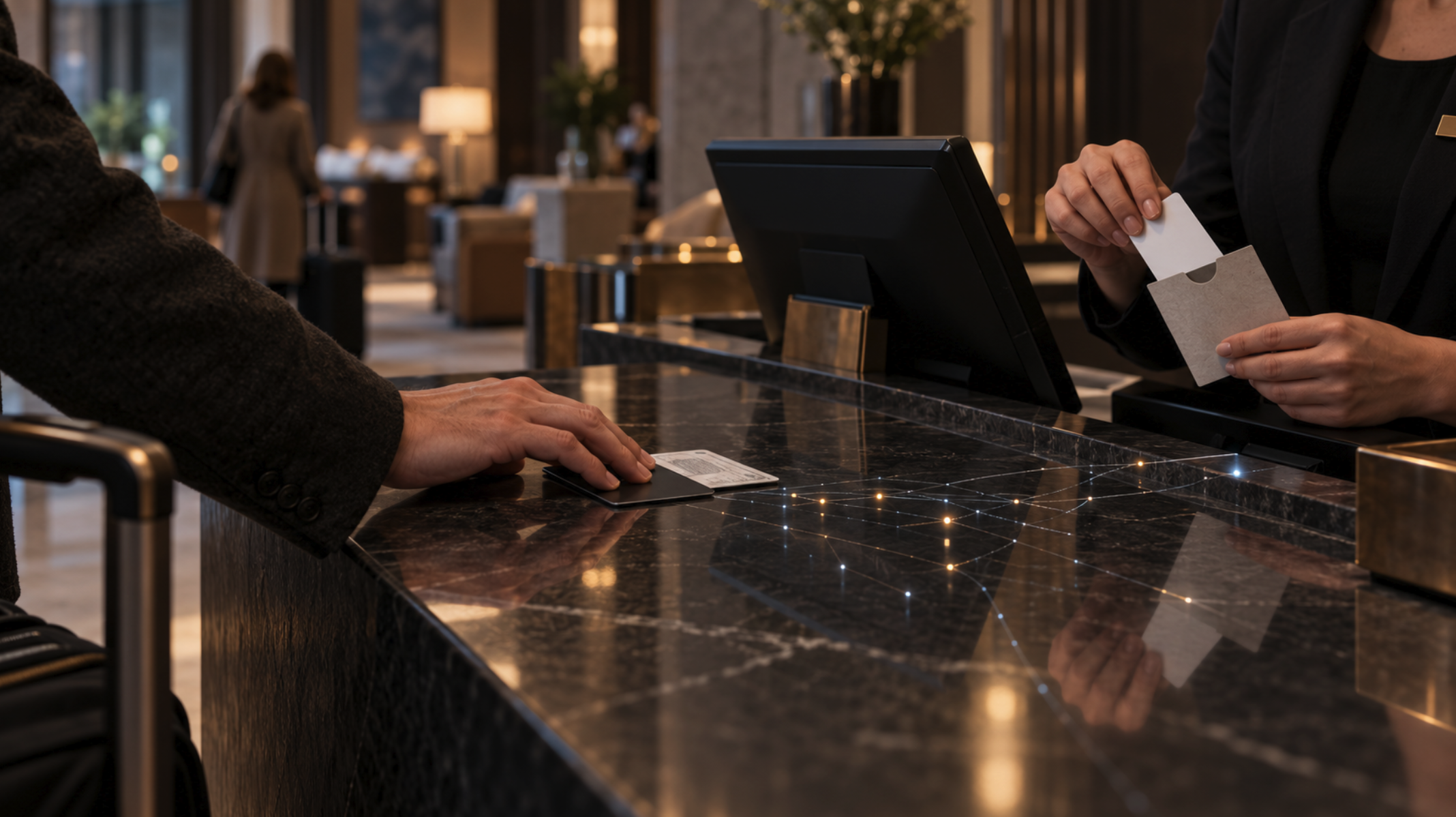
A hotel front desk collects more about you than the stay requires. You can complete a normal US hotel check-in giving only a reservation name, a government ID for verification, and a payment card, while declining profile extras, marketing opt-ins, loyalty enrollment, and loud verbal confirmation of your room number. Everything past that point is negotiable, and most of it is asked out of habit rather than necessity.
The exposure chain starts long before the counter. It runs through your booking channel, your loyalty profile, the ID the clerk scans, the card on file, the room assignment announced out loud, and the records that sit in a property management system after you leave. Each link leaks a little. Trimming the easy ones takes about ninety seconds of deliberate behavior.
None of this requires arguing with staff or acting strange. Quiet, polite, unremarkable conduct gets you further than a lecture on data minimization. If you want more field-tested thinking on low-profile travel and everyday carry, the weekly Option Gray newsletter covers it in one email, and the contact form is open if you have a specific question.
Decide What the Hotel Actually Needs
A US hotel needs a name that matches your payment method, a way to verify you are that person, and a card to cover the room and incidentals. Profile fields, birthdays, home addresses, vehicle plates, and second phone numbers sit in a different category.
Separate Required Details From Optional Profile Data
Booking forms mix mandatory and optional fields without labeling them. Fill in the name, email, and card. Skip the home address when the form allows it, skip the mobile number if you already gave an email, and decline every marketing checkbox.
Loyalty profiles are the bigger problem. They carry stay history, room preferences, arrival times, and payment tokens across every property in the chain. That is a durable pattern-of-life record. Before your next trip, open your profile and delete stored addresses, old cards, and preference notes you never use.
Third-party booking platforms add another handoff. Your data goes to the platform, then to the property, then sometimes to a channel manager in between. Booking direct removes one hop and gives you a single company to ask about retention. The tradeoff is price, and sometimes the platform wins on cost.
Use the Reservation Name Without Oversharing
Book under the name on the card you will present. Mismatched names create friction at the desk and draw exactly the attention you are trying to avoid.
You can still limit what the name reveals. Use a first initial and last name when the form permits. Use an email address that is not your full legal name at a work domain. Put your unit number in the address field only if the form requires a complete billing address for card verification.
Nicknames and aliases fail here. A hotel is verifying that the guest, the ID, and the card line up. Break that chain and you get a manager, a longer conversation, and a record of the exchange.
Choose Payment and Loyalty Details Deliberately
Assume any card you hand over gets stored. Hotels place authorization holds and settle at checkout, which means the card number lives in the property management system for the duration of your stay and beyond.
Use a virtual card number or a single dedicated travel card. If your issuer supports merchant-locked virtual numbers, that limits the damage from a breach to one card you can kill without touching your primary account. Some properties still require a physical card at the desk for incidentals, so carry one that is not your main account.
Hotels are a frequent target. The 2018 Marriott International breach exposed records for roughly 500 million guests, including names, phone numbers, email addresses, and payment card information, after attackers spent four years inside the Starwood reservation database, according to a review of hospitality data protection. Loyalty accounts were part of that footprint.
Use a Low-Profile Check-In Process
The front desk is a public counter with a line behind you. Most of what leaks there is spoken, not typed, and the fix is controlling volume, sequence, and what sits face-up on the surface.
Keep the Front-Desk Conversation Need-to-Know
Say your last name and hand over the ID and card together. Let the clerk read the reservation off the screen instead of narrating your itinerary out loud.
When the clerk says your room number at normal volume, ask them to write it down instead. A simple line works: “Could you just write that down for me?” Staff do this constantly and it raises no eyebrows.
Decline the wake-up call, the newspaper delivery, and the “what time will you be departing” question with a vague answer. Departure times, arrival patterns, and daily routines are the raw material for pattern of life vulnerability, and a lobby is a poor place to publish them.
Keep your reservation email off the counter screen-up. People behind you read phones without meaning to.
Control ID Viewing, Copying, and Check-In Applications
US hotels verify identity at check-in, and most will accept a visual inspection. Ask whether a scan is required before you hand the card over, and hand it face-down if the desk is crowded.
When a property insists on scanning or photocopying, that image joins their records. You can ask how long it is retained and whether it is stored encrypted. Front-desk staff often will not know, which is itself a useful data point about how the property handles guest information.
Mobile check-in apps trade counter exposure for app exposure. They usually want location permissions, camera access for ID capture, and push notifications. Grant camera access only during the ID step, deny background location, and turn off the app’s notifications so your room number does not appear on a lock screen.
Reduce Exposure From Cards, Receipts, and Confirmation Emails
Take the key card out of the paper sleeve that shows your room number. The U.S. State Department recommends travelers separate the key from any packet displaying the room number, because a lost key and sleeve together let someone identify the hotel and the room tied to that card.
Hotel-industry experts told The Washington Post that key cards generally do not carry your name or card number, so the sleeve is the real risk. Store the number in a note on a locked phone.
Decline the printed folio at checkout and ask for email only. Paper receipts list your name, room, dates, and the last four of your card, and they get left in rental cars and trash cans.
Protect Your Information After You Get the Key
Once you are in the room, the remaining exposure is digital and procedural: the network you connect to, the app holding your digital key, and the record the property keeps after you leave.
Treat Hotel Wi-Fi and Portals as Untrusted Networks
Connect through a VPN before you do anything else, and keep it on. The hotel network is shared infrastructure with unknown patch levels, and captive portals routinely ask for your name and room number to authenticate.
Give the portal the minimum it accepts. Room number and last name are usually the required pair. Skip the email field when the form lets you submit without it.
Use your phone’s hotspot for banking, work email, and anything tied to accounts you cannot afford to lose. A cellular connection removes the hotel from the path entirely. Turn off Wi-Fi auto-join for hotel-branded networks after you leave, so your phone stops announcing where you have stayed.
Secure Digital Keys, Guest Apps, and Account Access
Put multi-factor authentication on your hotel loyalty account before you travel, not after. Those accounts hold stay history, points with cash value, and saved payment methods, which makes them a phishing target.
Watch for texts and emails claiming a problem with your reservation and asking you to re-enter card details. That is standard social engineering, and it spikes during travel because people expect hotel communication. Call the property using the number from its own site, never the number in the message.
If your phone is your room key, set a strong screen lock and disable lock-screen previews. A digital key on an unlocked phone is a physical key with your room number attached.
Review What Stays in Your Profile After Checkout
Log into the loyalty account within a week of returning and delete the stored card, the address, and any preference notes the stay added. Most chains keep this indefinitely unless you remove it.
Ask at checkout whether the card on file will be purged, and request a final zero-balance folio by email. That closes out the incidental hold and gives you a record if a charge appears later.
Watch the card statement for thirty days. Hotel billing errors and post-stay fraud both surface on the same timeline, and a virtual card makes the fix a two-minute cancellation.
Privacy Comes From Deliberate, Normal Behavior
None of this works if it makes you memorable. The clerk who remembers the guest who refused an ID scan and lectured them about data protection laws has created exactly the record you were trying to avoid.
The useful version is quiet. Book under a name that matches your card. Ask for the room number in writing. Pull the key from the sleeve. Skip the loyalty profile fields nobody checks. Run a VPN. Clear the stored card when you get home.
Each step removes one piece of information from a system you do not control. Stack them and a hotel stay leaves a much shorter trail, without a single awkward conversation.
Access control at a property is theirs to manage. Your data footprint is yours. The same gray man concealment logic that applies to how you dress applies to how you check in: blend into the pattern, give the system what it needs, and keep the rest.
Frequently Asked Questions
These cover the questions that come up most around room privacy, ID handling, and what a hotel does with your personal information.
Can a hotel tell someone that I am staying there or give out my room number?
Most US hotel policies prohibit staff from confirming a guest’s presence or giving out a room number to callers or walk-ins. That is a policy standard rather than a universal legal rule, and it depends on training and staff discretion. Ask at check-in that no information about your stay be released, and have the request noted on your reservation.
Do I have to let a hotel scan or copy my driver’s license at check-in?
Most US properties will accept a visual inspection of your ID, and you can ask for that before handing the card over. Some brands and some international properties require a scan or photocopy as a condition of the stay. If a scan is mandatory and you object, your options are to accept it or book elsewhere.
Can I use a different name when booking a hotel room?
Book under the name on the payment card you will present. Hotels verify that the reservation, the ID, and the card match, and a mismatch creates delays and draws attention. Using a first initial rather than a full first name is usually accepted and reveals less.
What personal information can I decline to provide at hotel check-in?
You can decline marketing opt-ins, loyalty enrollment, secondary phone numbers, vehicle information, occupation, and most profile preference fields. The name, a verifying ID, and a payment method are the practical minimum for a standard US stay. If a clerk asks for something beyond that, asking whether it is required usually resolves it.
Can hotel staff enter my room without permission?
Housekeeping, maintenance, and security enter rooms as part of normal operations, and terms of stay generally permit it. Use the do-not-disturb setting and decline daily housekeeping to reduce access, and secure valuables and sensitive documents in a safe lock or take them with you. Engage the secondary latch whenever you are in the room.
Does a hotel Wi-Fi network let the hotel see my browsing activity?
The network operator can see which sites and services you connect to, along with the device and the timing, even when the traffic itself is encrypted. A VPN hides the destination from the hotel network. For anything sensitive, use your phone’s cellular hotspot instead.